A guest spends ninety seconds ordering a meal. Behind those ninety seconds, half a dozen systems fire in sequence: the order is captured, priced, routed to the right kitchen station, confirmed on a screen, reported to the tax authority, and counted in tonight's numbers. When those systems are connected, nobody notices them. When they are not, everybody does - re-typed orders, shouted numbers, wrong plates, and a manager doing math at midnight.
This is a tour of the full stack, layer by layer: what each piece does, and why the connections matter more than any single component.
Layer 1 - Where demand enters: ordering
Every sale starts at an entry point, and modern restaurants run several at once:
- Point of Sale - the counter and table backbone: fast billing, modifiers, payments, and the single source of truth for menus and prices.
- Self-ordering kiosks - extra ordering capacity at peak with no extra counter staff, plus consistently bigger baskets from well-timed upsells.
- Drive-thru - lanes, timers, confirmation screens and headsets for formats where the queue is made of cars.
The test of this layer is simple: however the order enters, it should land in the same system, with the same menu, the same prices and the same promotions - automatically.
Layer 2 - Where food gets made: the kitchen
Kitchen display screens replace paper tickets with routed, timed, prioritized orders on the right station's screen - grill, fryer, expo - with bump/recall, meal grouping and ageing colors. The kitchen stops being a paper archive and becomes a measurable production line. Our kitchen display guide covers it in depth.
Layer 3 - What guests see: screens
- Customer displays - live order and total at the counter (mistakes caught before payment), and Preparing/Ready boards fed by the kitchen, so nobody shouts order numbers.
- Digital menu boards & LED - appetizing, always-current menus that switch by daypart, and displays that carry the brand.
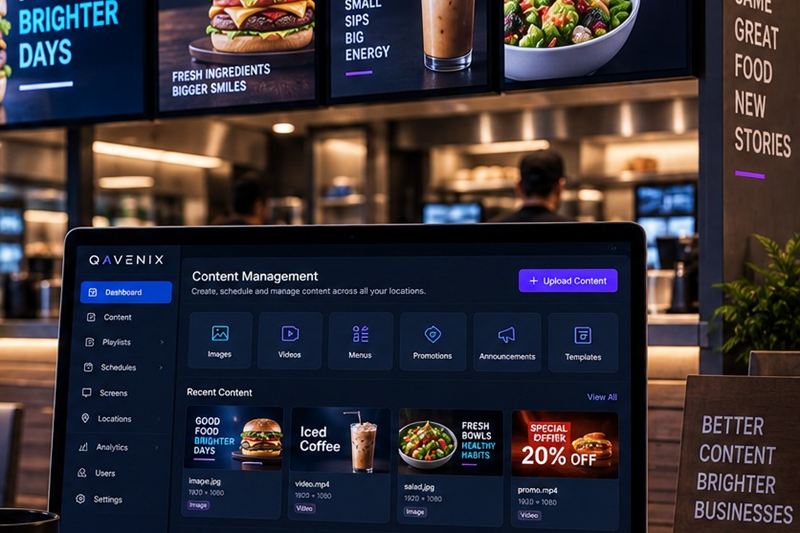
- Content management (CMS) - the control room for every screen: one dashboard publishing the right content to the right branch at the right time.
Layer 4 - The silent layer: compliance
Egypt's e-invoicing and e-receipt systems mean every sale is also a tax document. Built into the stack, compliance is invisible: receipts carry their QR codes, documents submit themselves to ETA, and the archive builds itself. Bolted on later, it becomes a daily manual chore - we wrote a full guide to ETA requirements.
Layer 5 - What the business learns: intelligence
- AI surveillance - cameras that double as sensors: queue buildup, footfall by hour and zone, and security alerts in real time. Our AI CCTV guide covers it in depth.
- AI & data - dashboards and forecasts built on everything above: sales mix, prep times, service times, branch comparisons.
Layer 0 - Underneath it all: the network
None of this survives on shaky wiring. ICT infrastructure - structured cabling, enterprise Wi-Fi, switching and monitoring - is the layer nobody sees and everything depends on. It is Layer 0 for a reason: it goes in first.
What integration actually buys you
Every one of those moments dies when the components come from five vendors who do not talk. Integration is not a feature on a datasheet; it is whether your Tuesday runs itself.
The right build order
- Foundation first: network and cabling, POS, and e-invoicing - the legal and operational minimum to open.
- Kitchen next: KDS and customer displays - the biggest day-one jump in speed and accuracy.
- Capacity by format: kiosks for walk-in QSR, drive-thru for car formats.
- Brand layer: menu boards, LED and CMS.
- Intelligence last: analytics and AI on top of the data the stack now produces.
Phasing spreads the budget - but only if every phase plugs into the same platform. Choosing per-phase vendors that cannot connect is how restaurants end up with five islands. That, honestly, is the argument for a single-ecosystem partner: one data model, one support call, one team accountable - and it is exactly how we build at QAVENIX, from the wall socket to the dashboard.
Frequently asked questions
What is the best restaurant technology stack for a growing business?
One connected platform rather than the best individual products. For a growing restaurant that means a reliable network, a POS that keeps selling offline and runs several branches, kitchen displays fed directly by the POS, e-invoicing built into the POS and central reporting, with kiosks, drive-thru and digital signage added on the same platform as you grow. The test is simple: every new piece should share the same menu, orders and data instead of needing its own integration.
Do I need to install the whole stack at once?
No - the stack is designed to grow in phases. Most restaurants start with the network, POS and e-invoicing, add kitchen and customer displays next, then kiosks or drive-thru depending on their format, and finish with signage and analytics. What matters is choosing components that already speak to each other, so each phase plugs in instead of starting over.
Can I add kitchen displays or kiosks to my existing POS?
Sometimes, through integration - but reliability depends entirely on how well the two vendors cooperate. Natively integrated components share one data model, so orders, modifiers and ready-states flow without translation layers. If your current POS has no integration path, that is usually the moment to reassess the platform rather than bolt on workarounds.
What happens to a connected stack when the internet drops?
A properly engineered stack keeps the branch running: POS, kitchen displays and kiosks continue over the local network, receipts keep printing, and everything that needs the cloud - reporting, e-invoice submission, content updates - queues up and syncs automatically when the connection returns.
How long does it take to install this in one branch?
After a site survey, a typical single-branch deployment is measured in days, not months - cabling and network first, then terminals and screens, then training and go-live, usually staged outside peak hours so the restaurant never closes.