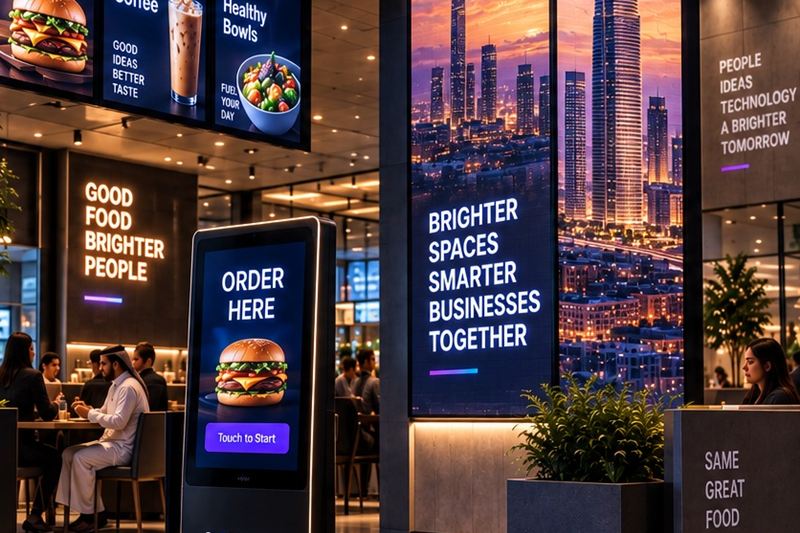
Walk into any busy restaurant in Cairo and look up: the menu is a screen now. Prices change without a printer, breakfast swaps itself for lunch at 11:30, and the dessert nobody noticed on paper suddenly sells because it moves. That is the promise. The reality in many places is different: a TV with a USB stick, playing last Ramadan's offer in July, because updating it means finding the one person who knows where the file is.
The difference between those two pictures is not the screen. It is the system behind it. This guide covers where signage actually earns money, what the platform - the CMS - must do, and what Egypt specifically demands from the hardware.
A TV on the wall is not digital signage
Digital signage is three layers working together: screens placed where decisions happen, players that render content reliably, and a CMS (content management system) that controls every screen in every branch from one dashboard. Remove the third layer and you own televisions, not signage - every price change becomes a drive to the branch with a USB stick, and nobody can prove what played where.
Where screens actually earn money
1 - The menu board
The highest-value screen in the building. Dayparting switches breakfast to lunch to dinner automatically, sold-out items disappear instead of disappointing, and price updates reach every branch in minutes. Motion sells: a sizzling burger outperforms a printed photo of one.
2 - The queue
Customers waiting to order are the most attentive audience you will ever have. A promotion screen beside the queue presells combos and new items, so the decision is made before the cashier says a word. Faster ordering, bigger baskets.
3 - The counter and checkout
A customer display confirms the order, and the last impulse offer lands exactly at paying time - the same mechanism supermarkets have used for decades, now programmable.
4 - The drive-thru lane
Outdoor menu boards shorten the longest stage of the lane: deciding. We covered the full lane in our drive-thru guide - the presell board is one of its five components.
5 - The statement piece
Lobbies, malls and flagship stores use video walls for brand presence. These do not ring a till directly, but they decide which shop the customer walks into.
The CMS is the real product - six things it must do
- One dashboard for everything. Every screen, every branch, visible and controllable from one place - including from a phone at midnight.
- Scheduling and dayparts. Content changes by time of day, day of week and season, set once and trusted to happen.
- Playlists and zones. A screen can split into regions - menu on the left, promotion strip on the right, news ticker below - each with its own playlist.
- Roles and approvals. Head office publishes campaigns everywhere; a branch manager edits only local prices; nothing goes live without the right eyes on it.
- Offline resilience. Content plays from the player's local storage; an internet cut changes nothing on screen. This is non-negotiable in Egypt.
- Proof of play and alerts. The system reports what actually played and raises a hand the moment any screen goes dark - you should know before the customer does.
What Egypt specifically demands
- Brightness that beats the sun. Window-facing and outdoor screens need high-brightness commercial panels; a living-room TV reads as a black mirror at noon.
- Heat and dust rated enclosures for anything outdoors - summer heat and sandstorm seasons are hardware killers.
- Arabic and English, properly. Templates must handle right-to-left layout natively, not as an afterthought - mirrored layouts, correct fonts, both languages on one screen where needed.
- Power-cut recovery. Screens and players must come back on by themselves, resume the right playlist and reclock the schedule - with no one touching anything.
Signage is one layer of a connected stack - see the restaurant technology stack guide for how it sits alongside POS, kitchen displays and kiosks.
Where QAVENIX fits
QAVENIX delivers the whole stack: the signage CMS that runs every screen from one platform - scheduling, zones, roles, approvals, proof of play and multi-branch publishing - plus the screens, LED and digital menu boards themselves, video walls and customer displays, surveyed, installed and configured for Egyptian conditions by our own engineers. One partner for the platform, the hardware and the support.
Frequently asked questions
Can I just use normal TVs instead of commercial screens?
You can start that way, but know the trade: consumer TVs are dimmer, glossy, not built for 16-hour days, and do not switch back on after a power cut. For a menu board that IS the menu, reliability is the product.
What happens to my screens when the internet drops?
Nothing visible - content plays from each player's local storage and syncs when the connection returns. A system that goes black during an outage was built wrong.
Who should update the content?
One named owner, helped by CMS roles: head office pushes campaigns, branches edit only local details, approvals catch mistakes. Screens with no owner go stale within a month.
How many screens should a restaurant start with?
Start where money is decided: the menu board plus one promotion screen by the queue - usually two to four screens. Prove it for a month, then scale.