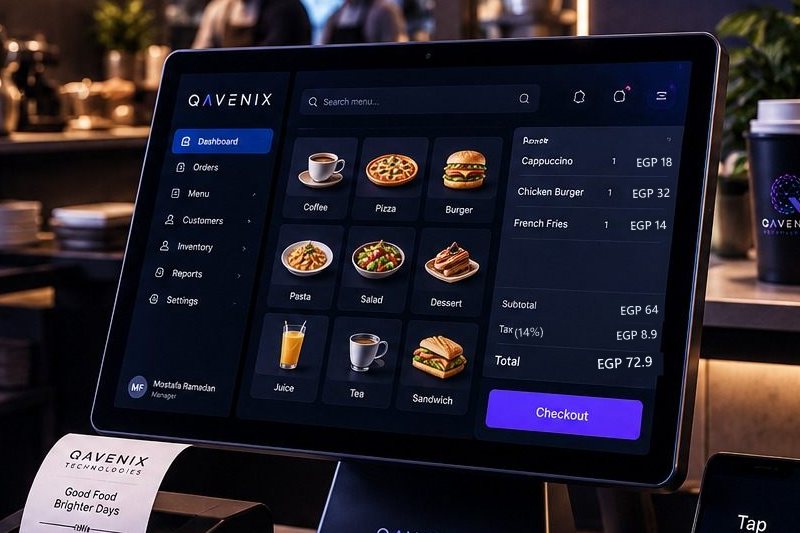
Your POS is not a cash register - it is the operating system of your restaurant. Every order, every kitchen ticket, every discount, every end-of-day number passes through it. Choose well and the whole operation gets faster; choose badly and you will fight the system at every rush hour until you replace it.
This guide is the checklist we wish every owner had before signing a POS contract in Egypt.
Start with your workflows, not with demos
Before comparing systems, write down how you actually sell: dine-in with running checks? Takeaway speed screens? Delivery aggregators? A drive-thru lane? One branch or seven? Arabic receipts? A POS that is brilliant for a café can be wrong for a multi-branch QSR - the "best" system is the one that fits your flow.
The 8-point checklist
- Speed at rush hour. Count the taps from order to printed receipt. Anything that needs menu-diving or typing during peak will cost you queue length every single day.
- Offline resilience. Internet drops are a fact of life. Billing must continue with no connection - sales queue locally and sync when the line returns. Ask the vendor to unplug the router during the demo.
- Multi-branch central management. One catalog, central prices and menus, per-branch overrides where needed, and consolidated reports. Adding branch number four should be configuration, not a project.
- Tax compliance built in. Egypt's e-invoicing and e-receipt systems are not optional. Compliant documents, QR codes and automatic submission to ETA should come from the POS itself - read our ETA e-invoicing guide for what that involves.
- Kitchen and channel integration. Orders should flow straight to kitchen display screens, and the same platform should drive self-ordering kiosks, customer displays and drive-thru - one ecosystem, not five vendors pointing at each other.
- Inventory that follows sales. Recipes and stock movements tied to every sale, so counts, costs and reorder points stay honest without a nightly spreadsheet ritual.
- Reports you will actually read. Sales, product mix, staff performance and VAT - live, from any branch, on your phone. If seeing today's numbers requires calling the cashier, the system has failed its owner.
- Local support. Installation, training and on-site response from a team in your time zone - in Arabic and English. When a terminal dies on Friday night, a ticket queue abroad does not help.
Red flags
- No offline story. If the answer to "what happens when the internet drops?" is a pause - walk away.
- No ETA answer. "We are working on e-invoicing" means you will be doing manual compliance work every day.
- Demo-only speed. A demo with 10 products proves nothing about a 200-item menu with modifiers at 9pm on a Thursday.
- Hidden per-terminal and per-module pricing. Get the full price list in writing: extra terminal, extra branch, kitchen screen, reports app.
- No migration plan. A vendor who shrugs at "how do we move our menu and history?" is planning to make it your problem.
Where QAVENIX fits
We built the QAVENIX POS platform around exactly this checklist: touch-first speed screens, offline-safe billing, central multi-branch management, ETA e-invoicing and e-receipts built in, and native integration with our kitchen displays, kiosks, customer displays and drive-thru - installed, trained and supported by our own team from Cairo.
That last part matters most: the same company that sells you the system is the one standing in your branch making it work.
Frequently asked questions
What should a restaurant POS cost in Egypt?
The structure matters more than the number: separate one-time costs (hardware, installation) from recurring ones (licenses, support), ask what adding a branch or terminal costs later, and check whether e-invoicing, kitchen screens and reports are included or extras. A cheap license with expensive add-ons usually costs more in the end.
Is a cloud POS or a local POS better?
Both, in the right places: billing runs locally so sales never stop when the internet drops; management, menus and reports live in the cloud so branches stay centrally controlled. Cloud-only stops selling in outages; local-only cannot run a chain.
Can a POS keep working when the internet goes down?
A properly built one can - it keeps ringing sales, printing receipts and feeding the kitchen offline, then syncs automatically. In Egypt this is the difference between a slow hour and a lost day.
How hard is it to switch from my current POS?
With a written migration plan it is a weekend job: import and clean the menu data, train the staff, cut over branch by branch outside peak hours. Insist on a vendor who has done it before.